Ways to open Publisher files, compared
Once Publisher is gone, there are a few ways left to open a .pub file. Here is the same file in each of them, and what each one can and can't do.
The same file in each
We made a two-page newsletter in Publisher 2021 for this comparison, using features that newsletters commonly use: a story in two columns with a drop cap, continued on page 2; a picture the text wraps around; bulleted and numbered lists; a table; WordArt; and a decorative border. Below, page 1 as Publisher draws it, as Publican draws it, and as LibreOffice opens it.
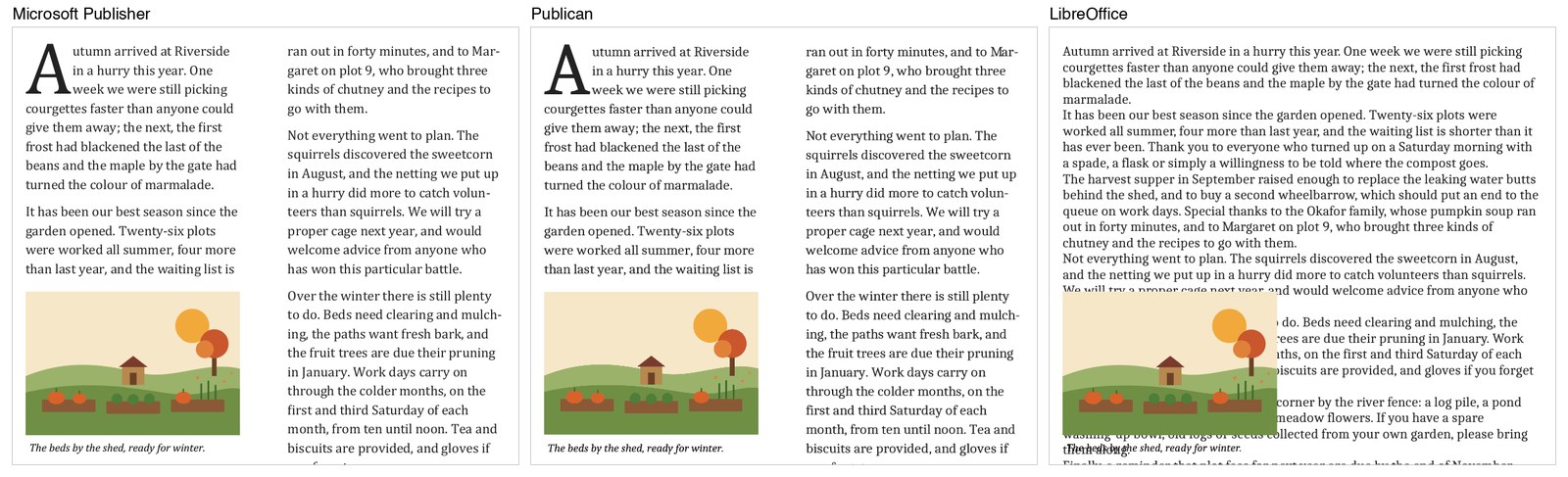
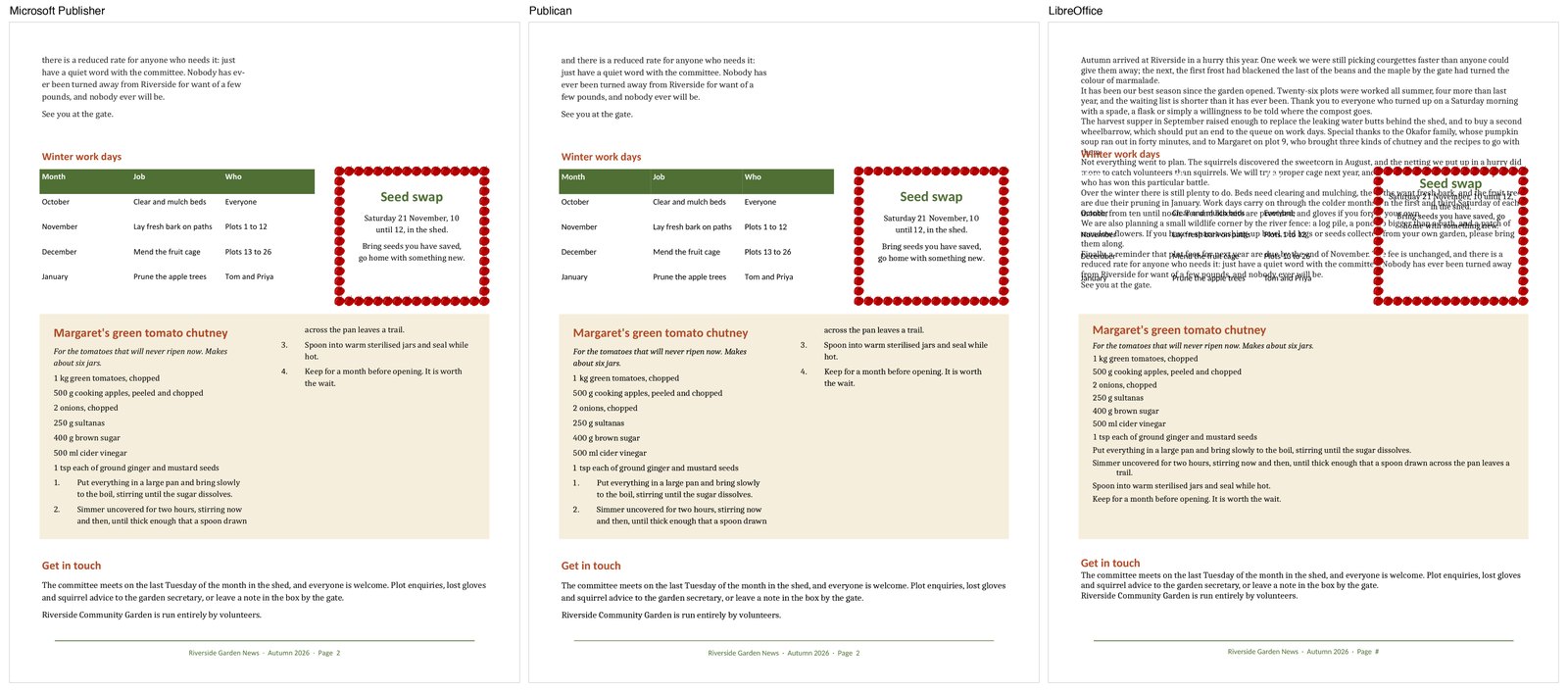
Publican is shown here with the free fonts it uses in place of Microsoft's, as most people will see it. Its lines break where Publisher's do, except around two words that Publisher's own hyphenation splits and ours doesn't, at the foot of page 1 and on page 2.
Side by side
| Publican | LibreOffice Draw | Online converters | Publisher 2016 to 2021 | |
|---|---|---|---|---|
| Pages without defects in our tests | 97% | 51% | Most use LibreOffice's .pub reader | The original |
| Edit text, pictures and shapes | Yes | Yes | No | Yes |
| Save back to .pub | Not yet | No | No | Yes |
| Save as PDF | Yes | Yes | Yes | Yes |
| Your file is uploaded | No | No | Yes | No |
| Install needed | No | Yes | No | Yes, if you have a copy |
| Works on | Any device with a web browser | Windows, Mac, Linux | Any device with a web browser | Windows |
| Price | Free | Free | Free for a few files a day, often | No longer sold |
How the fidelity figures were measured: our test method.
What LibreOffice does better
LibreOffice is a complete, open-source office suite. Once it has opened a .pub file you can edit the whole document, add and remove pages, and save it in other formats such as OpenDocument, which Publican can't. If the file comes out right in LibreOffice, and you want to go on working in a desktop program, it's a good choice.
Where it struggles is the opening itself: in our tests, about half of pages had text missing or content badly out of place. Scribus, and most online .pub converters, use the same .pub reader.
What about Word, Canva or Affinity?
None of them can open .pub files. Word, PowerPoint and Microsoft Designer are Microsoft's suggestions for making new designs, and Canva and Affinity are popular alternatives, but in each you would rebuild an old design by hand.